

healow
- 4.6
- 5M+
- Trusted
ADVERTISEMENT
-
App Namehealow
-
CategoryHealth & Fitness
-
DevelopereClinicalWorks LLC
-
Developer Emailhelp@healow.com
-
Version7.6.0
-
Download5M+
ADVERTISEMENT
1. App Overview
The healow App is built to help patients stay on track with daily health habits, not just office visits. It supports motivation by keeping key information close and actionable.
Its fitness goals focus on steady progress through weight management, activity, fitness, and sleeping tracking. The app then helps patients share trends with their care team.
It’s also designed for people who want fewer interruptions. With secure messaging, quick access to results, and smoother appointment workflows, patients can stay engaged between appointments.
To use it, you need an existing healow Patient Portal account linked to your doctor’s office. After installing, you log in with the same credentials from the patient portal.
The app then asks you to create a PIN and enable Face ID or Touch ID. Once enabled, it reduces repeated logins and speeds up everyday check-ins.
There’s also a useful note about multitasking support. The healow App uses an AccessibilityService API to enable features like a floating televisit wait-time counter, and it states that no data is collected or shared using that API.
If you’re searching for ways to install the healow App, make sure your goal matches the product: managing health information with your provider rather than replacing clinical care.
2. Top Features
First, messaging is a standout. The healow App lets patients send secure direct messages to their care team, which helps questions get answered without phone tag.
Second, test results access is fast. You can view labs and other results as soon as they become available, which supports earlier awareness and more informed follow-ups.
Third, self-scheduling and visit management reduce friction. You can book appointments and review upcoming visits even outside regular office hours, making planning easier.
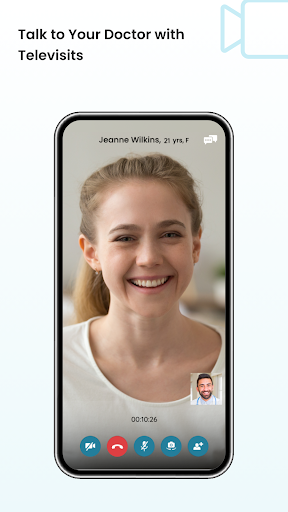
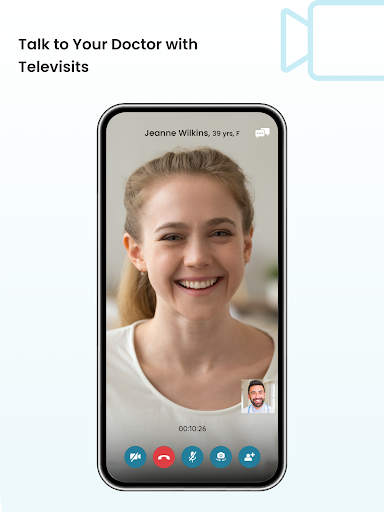
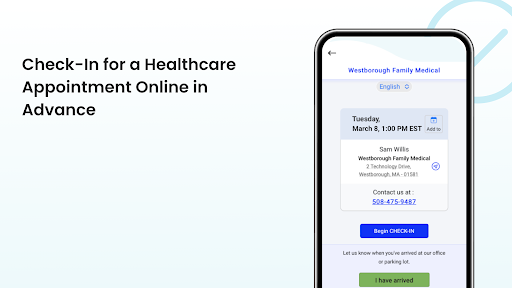
Fourth, the app supports a full visit flow. You can check in before the visit, complete needed documentation, and attend virtual visits from the same place.
Additional practical tools add daily value. You can view medications, set reminders, and request refills without calling, plus review medical history like allergies, immunizations, vitals, and visit summaries.
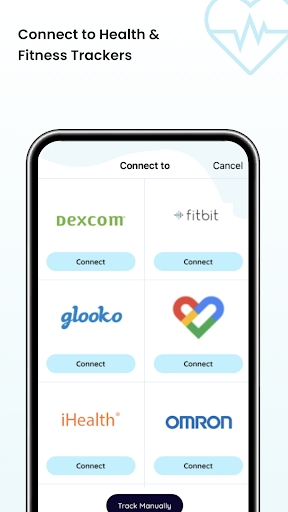
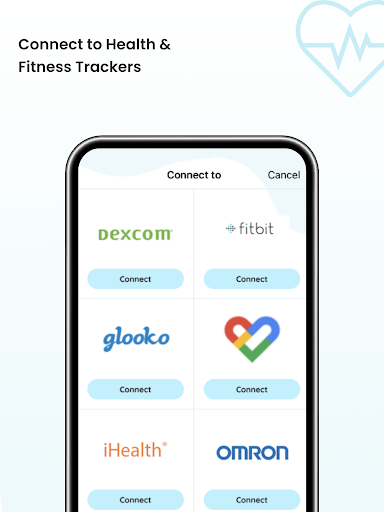
Because tracking and sharing matter, the healow App also includes goal-based monitoring. Weight, activity, fitness, and sleep tracking help you spot trend changes to discuss with your doctor.
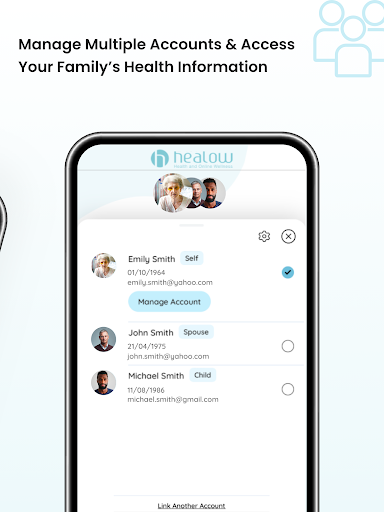
For families, it allows managing multiple family members’ records under one account. This can be convenient for caregivers coordinating care across ages.
If you’re considering Download healow APK options or looking for a free healow app, verify availability from trusted sources. Compatibility and account linking are essential before you install healow.
In the same mindset, people searching for healow App Download often want smoother day-to-day health management. These features support that goal more than occasional check-ins.
For users who want a healow App Download that covers both communication and health data, the combination of messaging, results, medications, and tracking is the main draw.
3. Areas for Improvement
One area to improve is onboarding clarity. Some patients may feel uncertain about the required healow Patient Portal linkage before they try install healow.
Another opportunity is deeper personalization. While the tracking tools are helpful, some users may want more guidance for setting goals and interpreting trends between visits.
Finally, users could benefit from more transparency around notification management. Clearer controls for reminders, check-in prompts, and televisit updates would reduce accidental missed alerts.
Even with these issues, many people still like the overall experience. Still, if you’re planning to Download healow APK or use healow App Download from a third-party site, prioritize safety and official availability.
For anyone chasing a free healow app, these improvements would make the app feel less like a tool you learn once and more like a coach you can rely on.
4. User Feedback
Positive comments often highlight convenience. Users like that the healow App keeps messaging, medications, and results in one place, so they don’t need multiple logins.
Many also appreciate the telehealth experience. The floating televisit wait-time counter can make virtual appointments feel less stressful and more predictable.
Patients who track goals tend to praise the structure. Seeing weight, activity, fitness, and sleep trends helps them bring clearer context to conversations with clinicians.
Caregivers also mention value in managing multiple family members under one account. It reduces administrative overhead when coordinating care.
On the negative side, some users report confusion after download. They expected to use the app immediately, but it requires an existing patient portal account from their doctor’s office.
Others want faster navigation. When many sections are visible, some patients struggle to find documents or history quickly, especially on smaller screens.
There are also occasional concerns about reminder frequency. Some users prefer more control over medication reminders and visit-related notifications.
Even with mixed feedback, the overall tone is practical: people who invest time to set up access and PIN/biometrics often end up satisfied with the workflow.
For those weighing healow App Download, these reviews suggest that success depends on account readiness and a willingness to explore settings after you install healow.
If you’re looking at healow free download options, remember that reviews are strongest when the app connects cleanly to the provider’s portal.
5. Overall Evaluation
The healow App is a strong companion for patients who want engagement between appointments. It combines secure communication, timely results, medication support, and goal tracking.
Its best use cases involve people who value continuity with their care team. The self-scheduling, pre-visit check-in, and virtual visit tools make the entire process more efficient.
While improvements could strengthen onboarding clarity, personalization, and notification controls, the core experience supports healthy habits and informed follow-ups.
My recommendation is to download it if your doctor’s office supports the healow Patient Portal and you already have an account. That compatibility is the difference between a smooth experience and a frustrating one.
For installation, the process is straightforward: download the app, log in using your patient portal username and password, create a PIN, and enable Face ID or Touch ID. Then you can begin using the features right away.
If you’re searching for healow App Download, aim for trustworthy availability. For a healow free download request, confirm that your chosen source is safe and the version matches your device requirements.
In short, the healow App earns a practical recommendation for patients aiming to stay motivated, monitor trends, and communicate more effectively. Install healow when you’re ready to connect with your provider’s portal and take control of day-to-day health.
healow
- 4.6
- 5M+
- Trusted
Install Latest APK
Screen Shot









Related Articles


Simalar Apps
-

Replika: My AI Friend
4.2
-
BetterSleep: Sleep tracker
4.3
-
CogniFit - Test & Brain Games
4.0
-
Eye test
4.1
-
Period Calendar Period Tracker
4.9
-
Depression Test
3.2
-
Brain Test: Alzheimer's
0.0
-
Clue: Period & Cycle Tracker
4.5
-
Blood Pressure Tracker
4.5
-
Know Yourself Personality Test
4.4
-
Muscle Booster Workout Planner
4.4
-
Fastic Weight Loss & Fasting
4.4


